Turn Real Estate Photos Into Professional Videos
Learn how to transform your property photos into engaging videos using AI and traditional methods. Complete step-by-step guide with tools, tips, and best practices for real estate marketing success.
Why Turn Photos Into Videos?
Video content dramatically outperforms static photos in real estate marketing
Video content receives significantly more engagement than static photos on social media and listing platforms.
Properties with video content sell 73% faster than those with photos only, according to industry studies.
Video marketing can increase property sale prices by an average of 4-6% compared to photo-only listings.
Video listings receive 403% more inquiries than traditional photo listings from potential buyers.
3 Methods to Turn Photos Into Videos
Compare different approaches and choose the best method for your needs
Use AI to automatically create professional videos from your photos
Pros
- No editing skills required
- Professional quality output
- Intelligent camera movements
- Automatic scene transitions
- Real estate optimized
- Bulk processing available
Cons
- Monthly subscription cost
- Limited customization vs manual editing
Best For:
Real estate agents, photographers, and teams who want professional results quickly
Step-by-Step Process
Follow this proven 4-step process to turn your photos into professional videos
Organize and optimize your property photos for video creation
- Select 8-15 high-quality photos
- Ensure consistent lighting and exposure
- Include exterior, interior, and key feature shots
- Arrange photos in logical viewing order
- Optimize image resolution (1920x1080 minimum)
Select the best approach based on your needs and skills
- AI-powered for professional results quickly
- Manual editing for complete control
- Slideshow tools for basic needs
- Consider time, budget, and quality requirements
- Evaluate your technical skill level
Upload your photos and let the chosen tool create your video
- Upload photos to your chosen platform
- Select appropriate template or style
- Configure video settings and preferences
- Add music, voiceover, or text overlays
- Preview and make adjustments
Download your finished video and share across platforms
- Export in appropriate resolution (4K recommended)
- Choose format based on intended use
- Upload to MLS, social media, and websites
- Track engagement and performance
- Create variations for different platforms
Top Tools Comparison
Compare the best tools for turning real estate photos into videos
Key Features:
- AI camera movements
- Real estate templates
- 4K export
- Bulk processing
Best For:
Real estate professionals
Pros:
- • Specifically designed for real estate
- • Professional quality
- • No editing skills required
Cons:
- • Monthly subscription
Key Features:
- Professional editing
- Advanced effects
- Color correction
- Audio editing
Best For:
Professional video editors
Pros:
- • Complete creative control
- • Industry standard
- • Advanced features
Cons:
- • Steep learning curve
- • Time-intensive
- • Requires expertise
Key Features:
- Templates
- Basic transitions
- Music library
- Easy sharing
Best For:
Beginners and casual users
Pros:
- • User-friendly
- • Affordable
- • Quick results
Cons:
- • Limited features
- • Basic quality
- • Watermarks on free version
See the Transformation
Watch how static photos become dynamic videos
Before: Static Photo
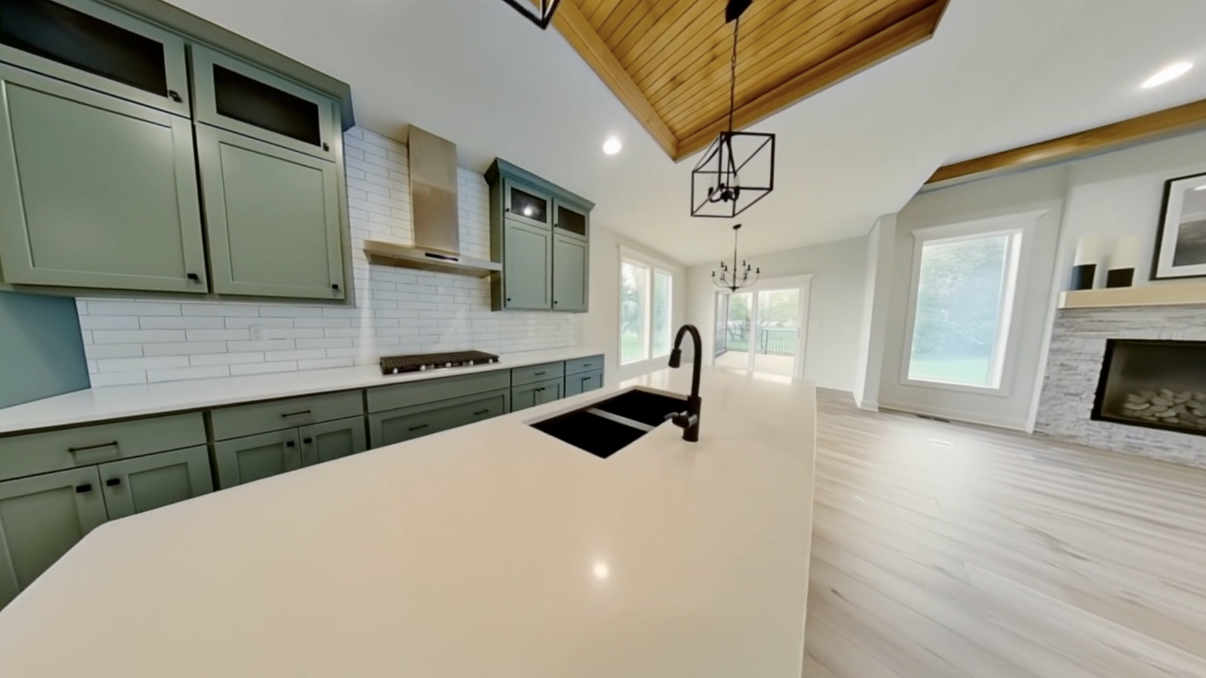
After: AI Video

AI Generated Video
Click to play video
Frequently Asked Questions
Common questions about turning photos into videos
Ready to Transform Your Photos?
Start creating professional real estate videos from your photos today. No editing experience required.